
WhatsApp Business calls for teams: one number, multiple agents
Inbound team call routing
A customer opens your business conversation in WhatsApp and starts a voice call. If several people on your team could help, who answers?
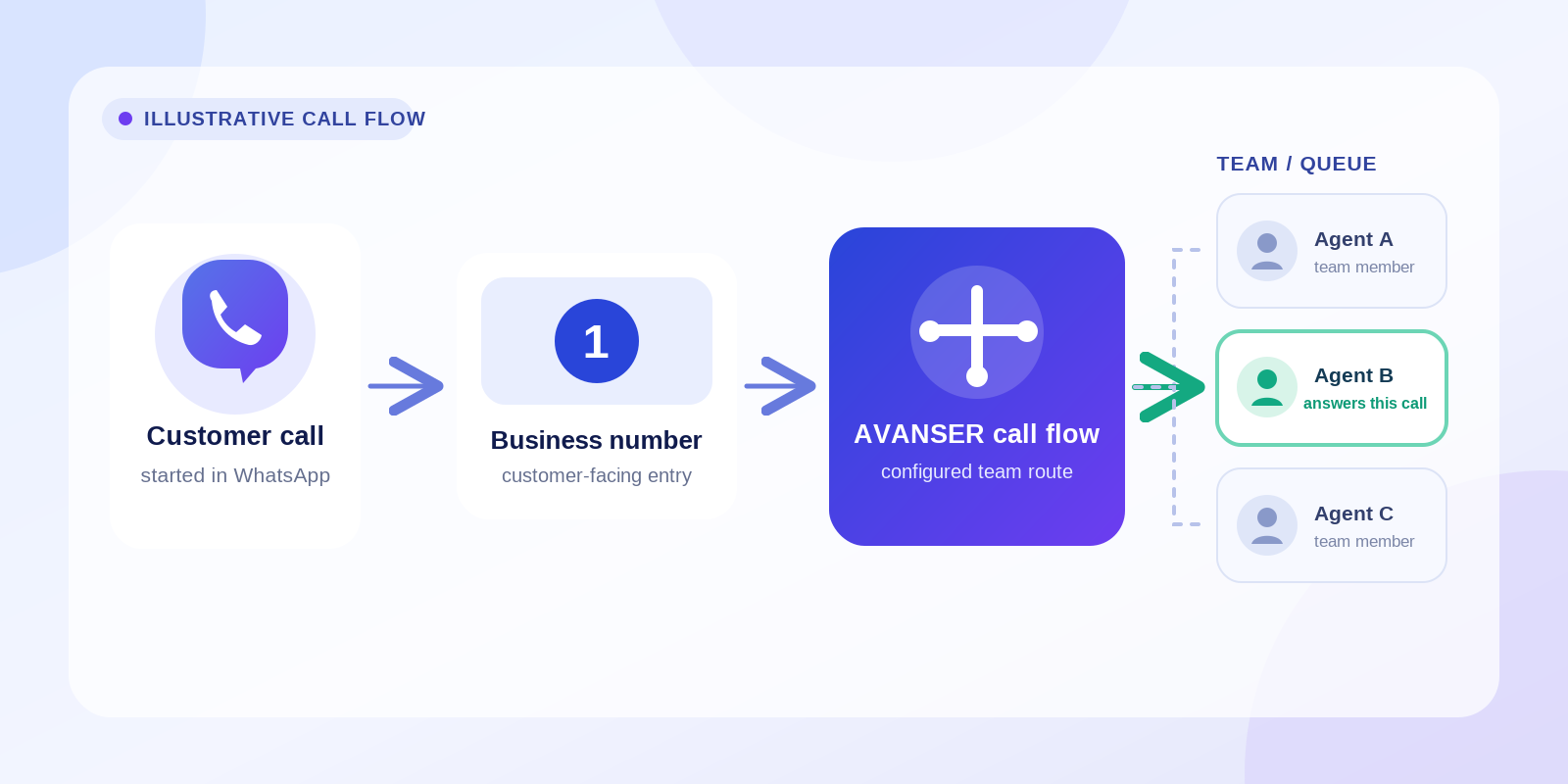
Your team can handle customer-initiated WhatsApp Business voice calls through a configured AVANSER call flow. Customers call one eligible business number in WhatsApp; AVANSER directs each call to the right team or available agent, and one agent answers on the configured AVANSER endpoint.
Availability depends on Meta Calling eligibility, a connected number and a voice route tested for your setup.
One business number, a team behind it
The WhatsApp Business number is the customer-facing entry point. For an eligible, connected and tested number, AVANSER's configured call handling can direct incoming WhatsApp voice calls through a menu, a team destination or a supported queue.
For example, a business might configure sales and support choices. A customer could choose the team they need, and the route would offer that call to an appropriate team member. One agent answers each call on the endpoint configured for the AVANSER service; the caller stays in WhatsApp. This example illustrates one possible setup; available routes and endpoints depend on your configuration.
How setup works
- Connect an eligible number. An authorised business administrator selects the correct AVANSER client in P4 and uses Meta's authorisation flow to connect a business number. The onboarding path depends on the number's current WhatsApp setup and Meta eligibility.
- Check calling and the voice destination. AVANSER checks the number and whether Meta permits Calling, then configures the voice destination if eligible. A connected number alone does not mean voice calling is active.
- Set the team route. The business configures call handling for that number in AVANSER, such as a menu, team destination or supported queue.
- Place a real test call. A customer-initiated WhatsApp call needs to reach the intended route, one agent needs to answer, and both sides need to hear each other before the business relies on it.
What this covers
This integration covers voice calls that customers initiate in WhatsApp. Calls made through the ordinary phone network follow a separate route, even if the digits are the same. WhatsApp messaging management and business-initiated outbound calls are separate capabilities.
For AVANSER's existing team call-handling capabilities, see our Cloud Contact Centre page. The available routing and agent endpoints depend on the agreed setup.