
AI Voice Agents
Configured AI voice agents can handle selected customer conversations, collect enquiry details and take approved actions. The available languages, call routes and business-system connections depend on your setup.
Answer, assist and hand over
The agent follows an agreed scope and fallback plan; it should not claim an action is complete unless the connected system confirms it.
Answer
Handle calls on configured numbers, queues or after-hours routes when the service and call flow are set up for it.
Understand
Use an agreed conversation flow and approved business information to respond to the caller's request.
Take an Action
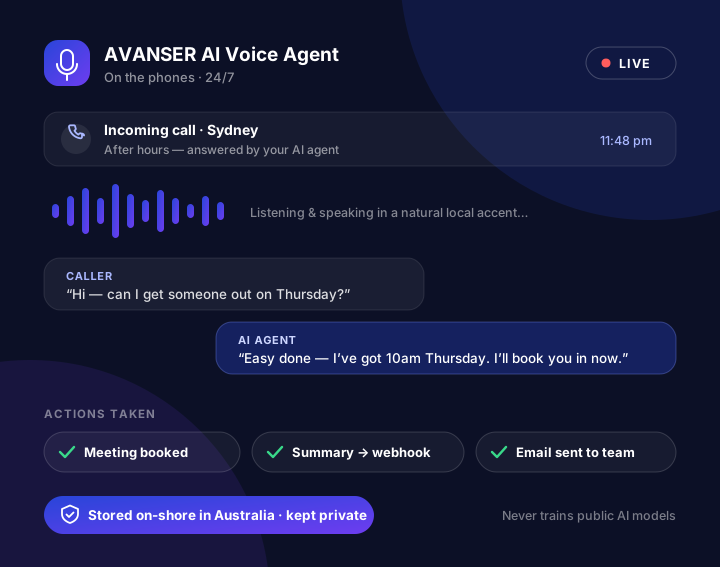
Perform only the actions included in the agreed setup, such as requesting a callback or booking through a connected calendar.
Hand Over
Transfer the call or share a summary when the hand-off is configured; otherwise use the agreed fallback, such as collecting details.
Designed around your call-handling needs
Features are agreed and tested for the intended workflow. Integrations, channel availability and service limits must be confirmed during scoping.
Inbound answering
Route selected inbound calls to an AI agent for enquiry handling, overflow or after-hours support, subject to the configured service and availability.
Appointments and callbacks
Booking or callback actions depend on the connected calendar, CRM or workflow and the permissions agreed for the deployment.
Human handover
Live transfer and staff handover can be included where supported by the call flow; an alternate route should be defined for unavailable teams.
Conversation summaries
A summary or handover note can be provided where enabled. Delivery to other systems depends on the configured connection.
Languages and voices
Available language and voice options depend on the selected service and are confirmed before implementation.
Knowledge and changes
Business information and conversation flows are agreed during setup. Ownership, review and ongoing changes are defined for each service arrangement.
Plan for exceptions as well as common enquiries
An AI voice workflow should be tested against real business scenarios, including unclear requests, unavailable staff and disconnected systems. During discovery, agree when the agent should transfer, collect a callback request or explain that it cannot complete an action.
- Confirm the approved information and actions the agent can use
- Define transfer and fallback behaviour before launch
- Test the calendar, CRM or other connection required for each action
- Review call outcomes and update the agreed workflow as needed
Data handling and service details
The website Privacy Policy describes how information submitted through this site may be handled. Product-specific details such as hosting location, service providers, retention, access and model-training arrangements should be confirmed for the proposed AI Voice Agent deployment; they should not be inferred from this page.
Talk to an AVANSER AI Agent
Enter your details to request the live voice demo. Submitting the form places a call to the phone number you provide. See the Privacy Policy for how enquiry information may be used.
“Hi — can I get someone out on Thursday?”
“I can check available times using the connected booking system.”